
Member InfoHub – How to Switch Your Organization
If your individual profile is linked to multiple businesses in our system, you can only be logged in with one organization at a time in InfoHub, and therefore only one organizations’ info can display in the Related Business info at a time.
Please note that changing the organization you are logged in with is not the same thing as viewing branch locations that are linked to your organization. Those with admin permissions can find and update branch information under the Related Branches tab in My Info section.
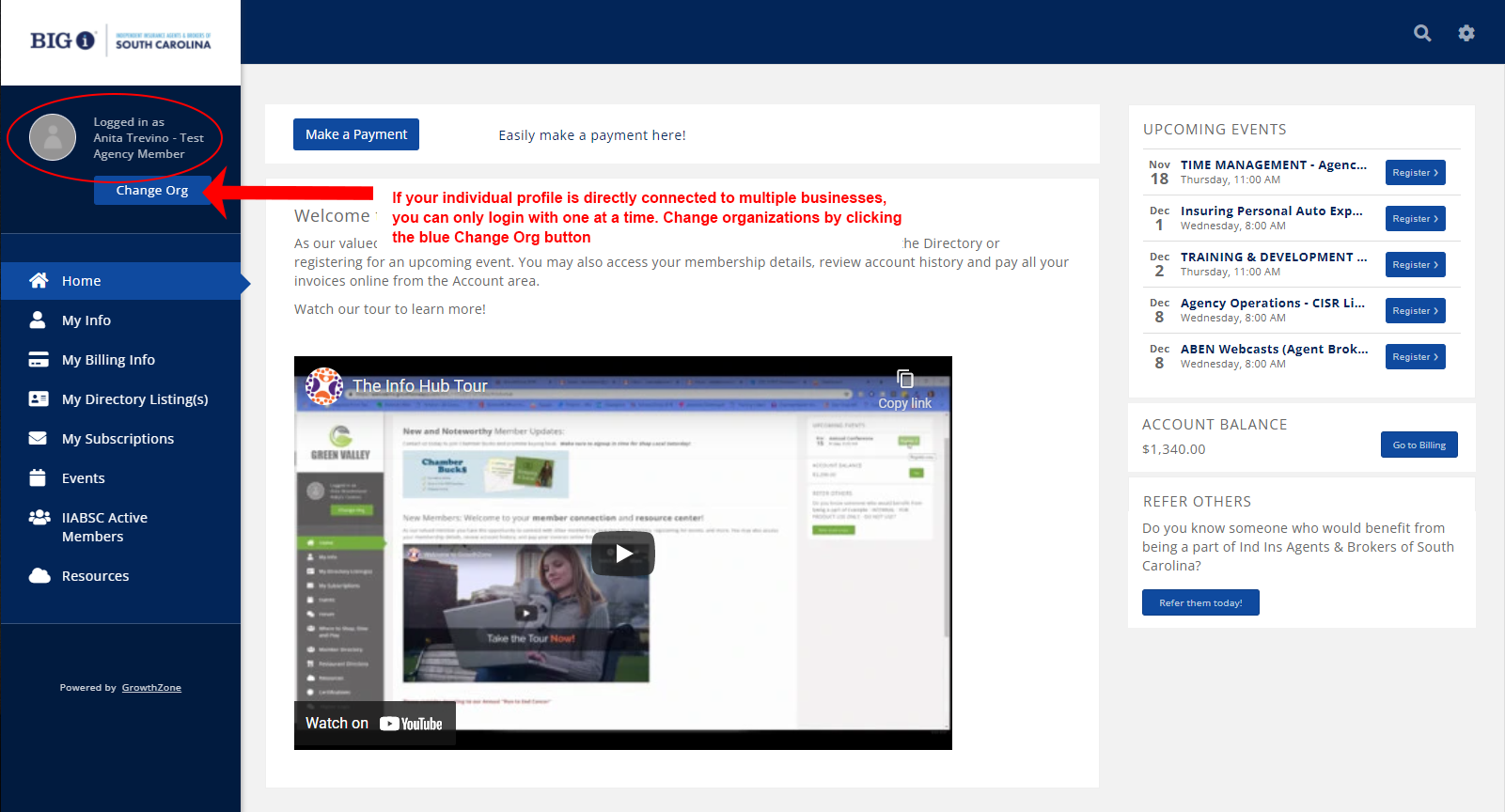
- To switch organizations, click the blue “Change Org” button under the login area of the InfoHub homepage.
- A window will pop up listing the Businesses you are directly linked to. Select the business you want to display in the drop down list and click blue “Done” button.
- Top left corner of InfoHub homepage should now display the other organization info.