Member InfoHub – Steps to Access
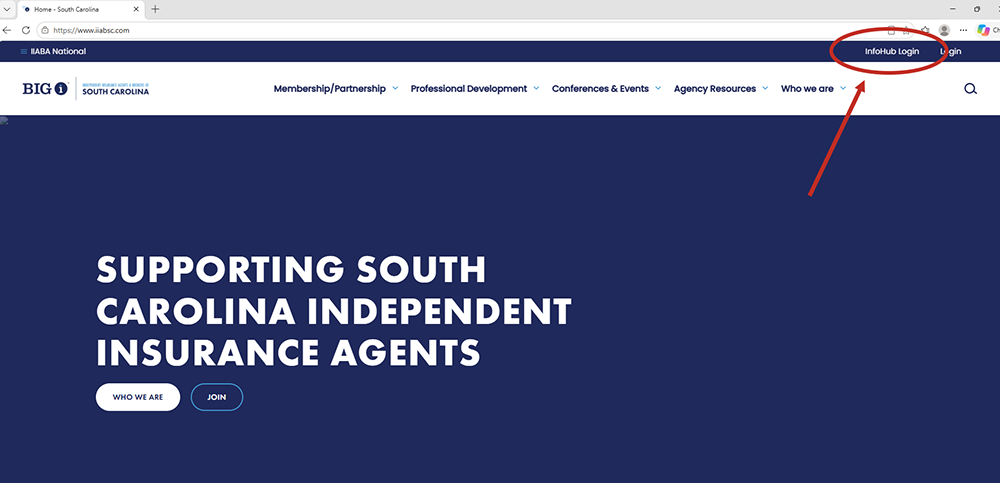
- Click InfoHub login in the top right corner of the page.
- Enter your Big I website member login information. See WEBSITE HELP if you don’t know your login or need to be added to the system.
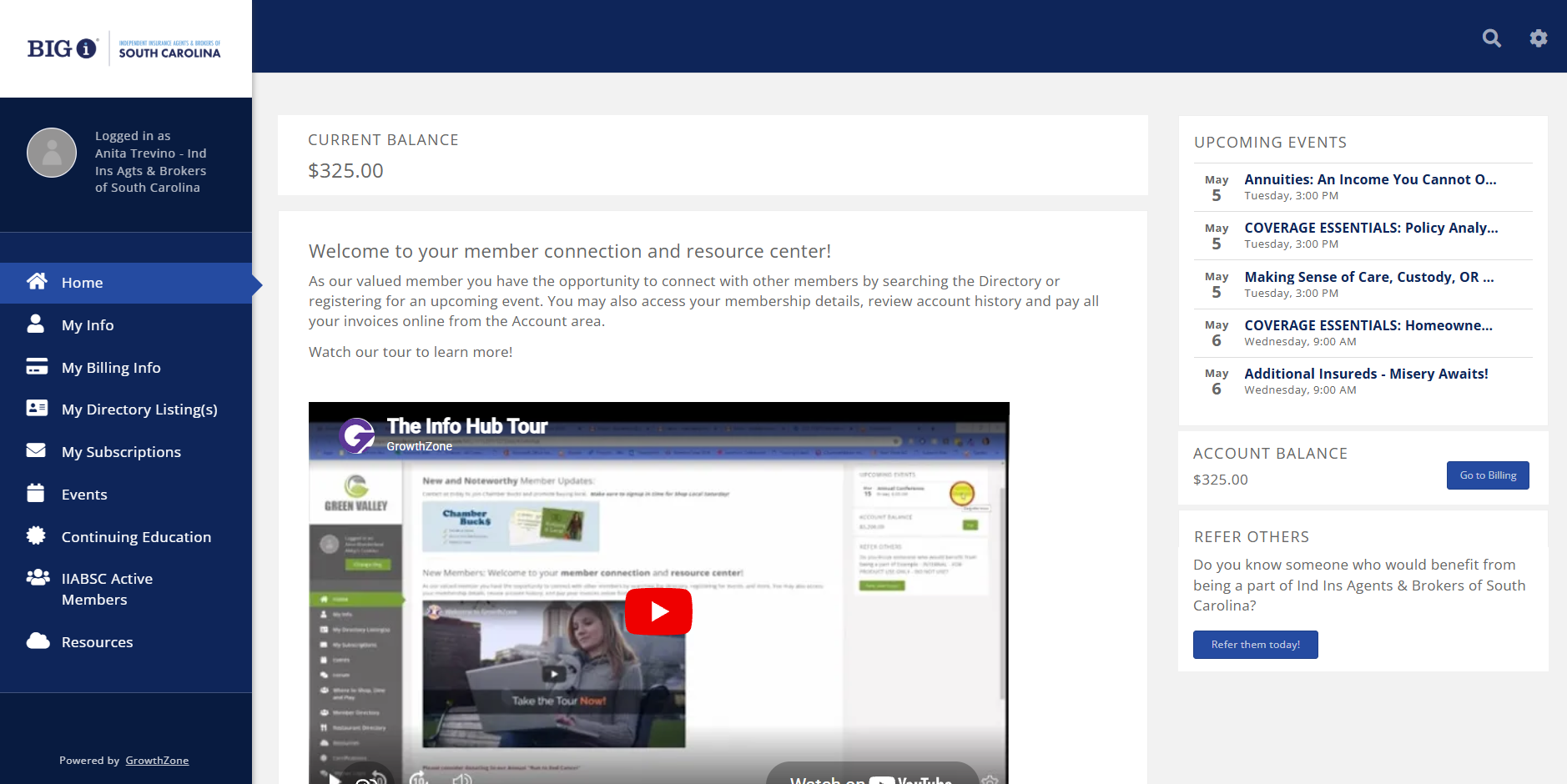
- Your name and organization will display in the upper left corner of the InfoHub homepage. Some people have multiple organizations and can switch the organization they are logged in with. Links to profile info, billing info, email subscriptions, upcoming events and education courses are listed on the left side.